Edit existing variables
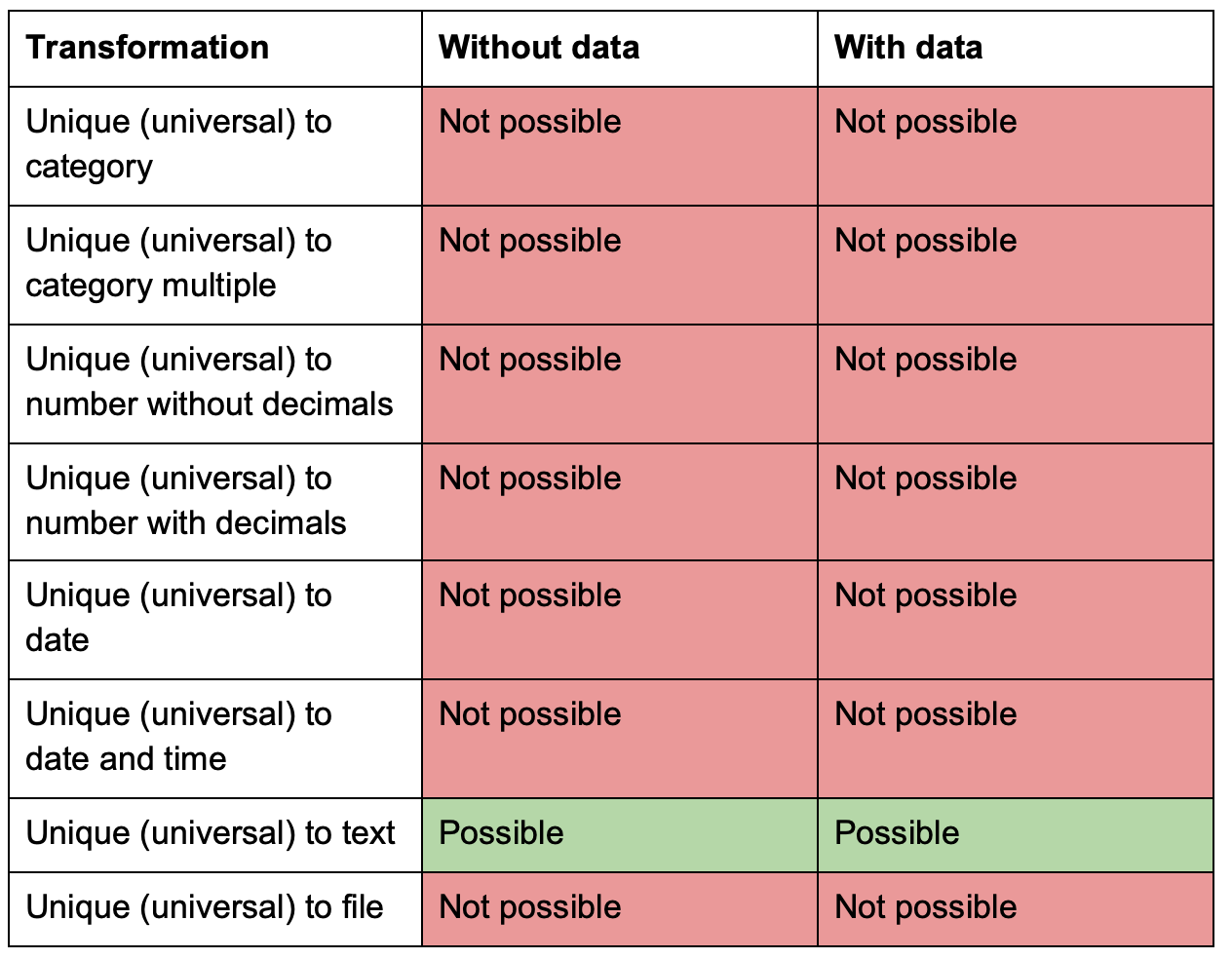
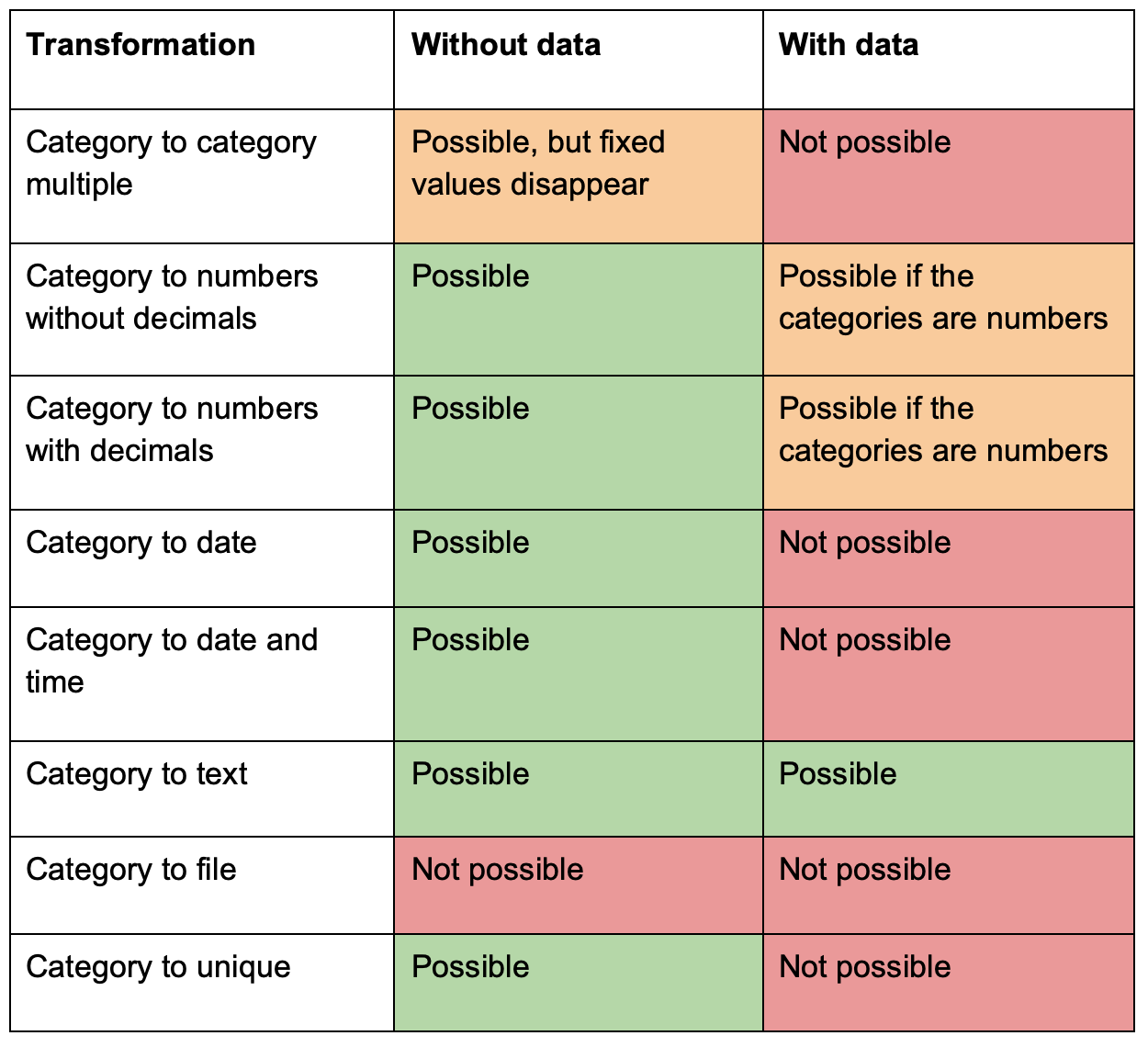
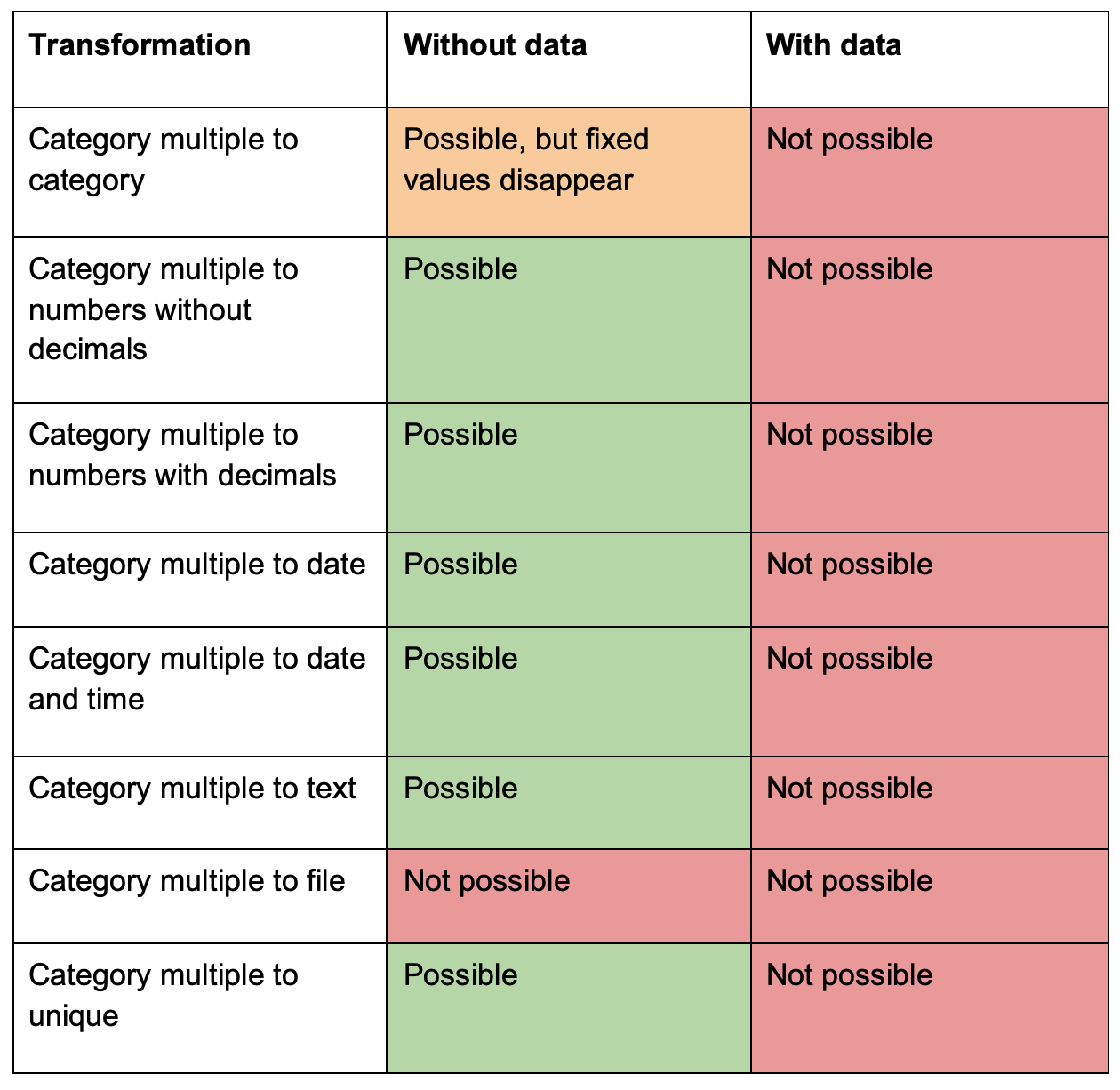
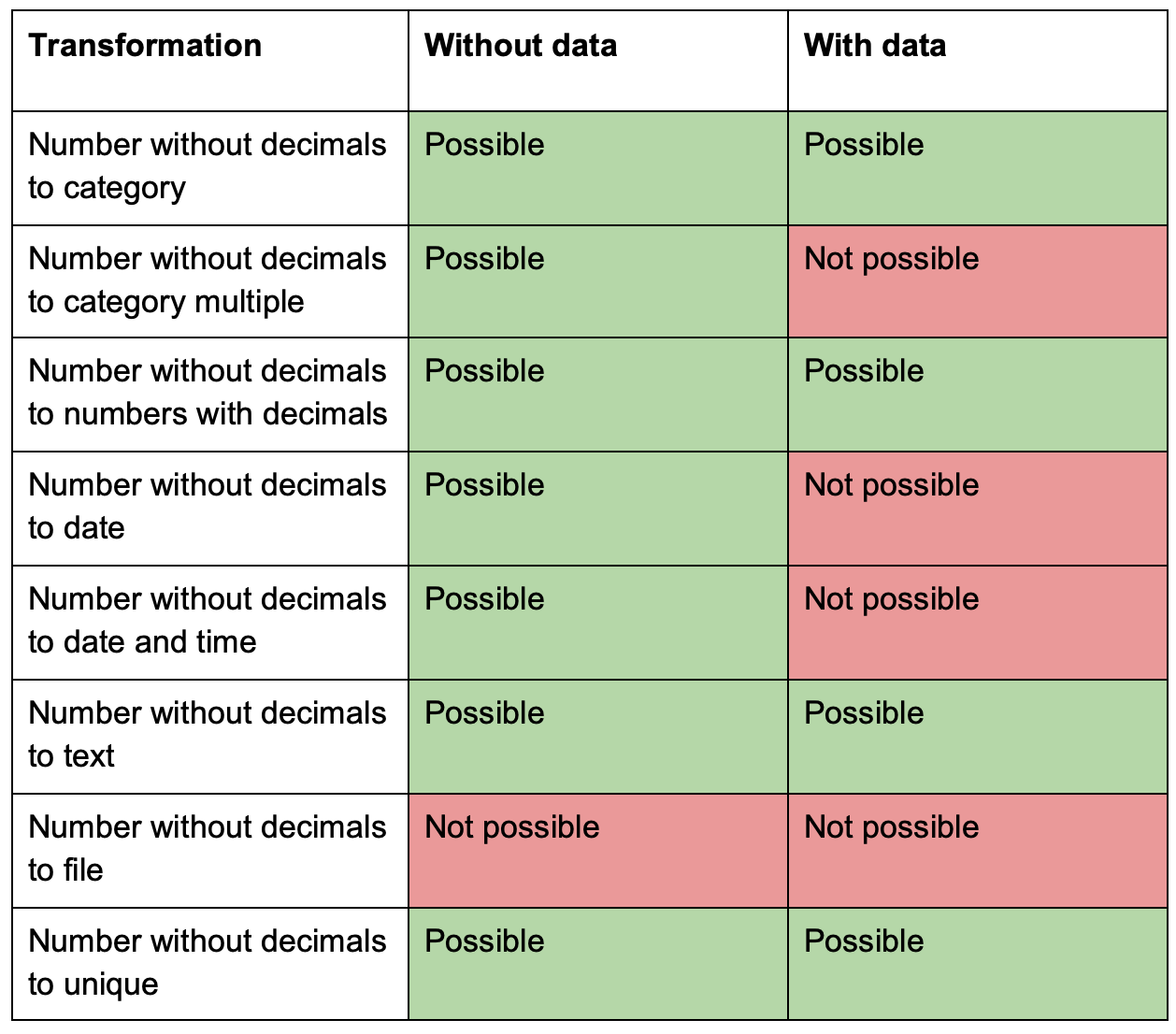
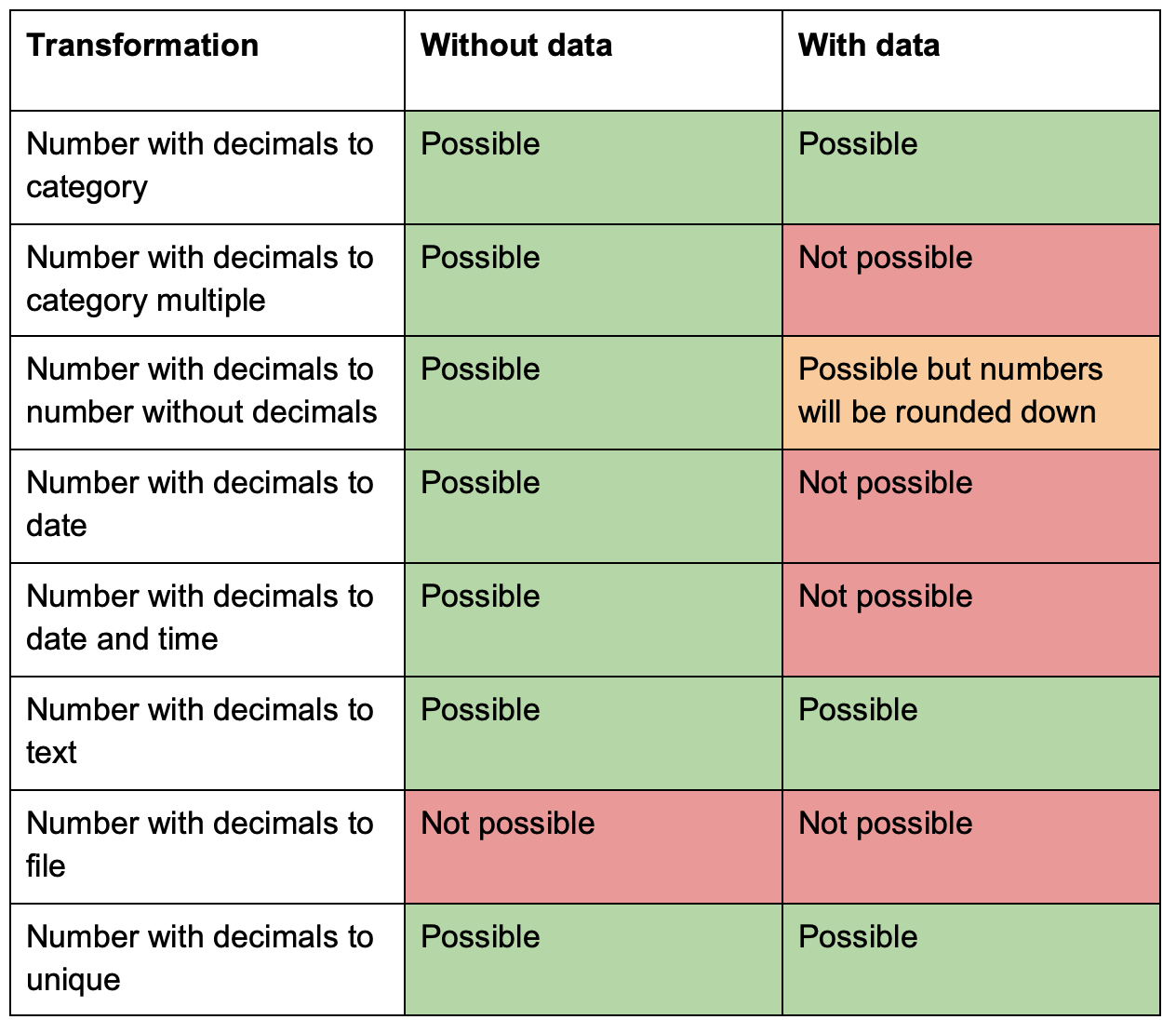
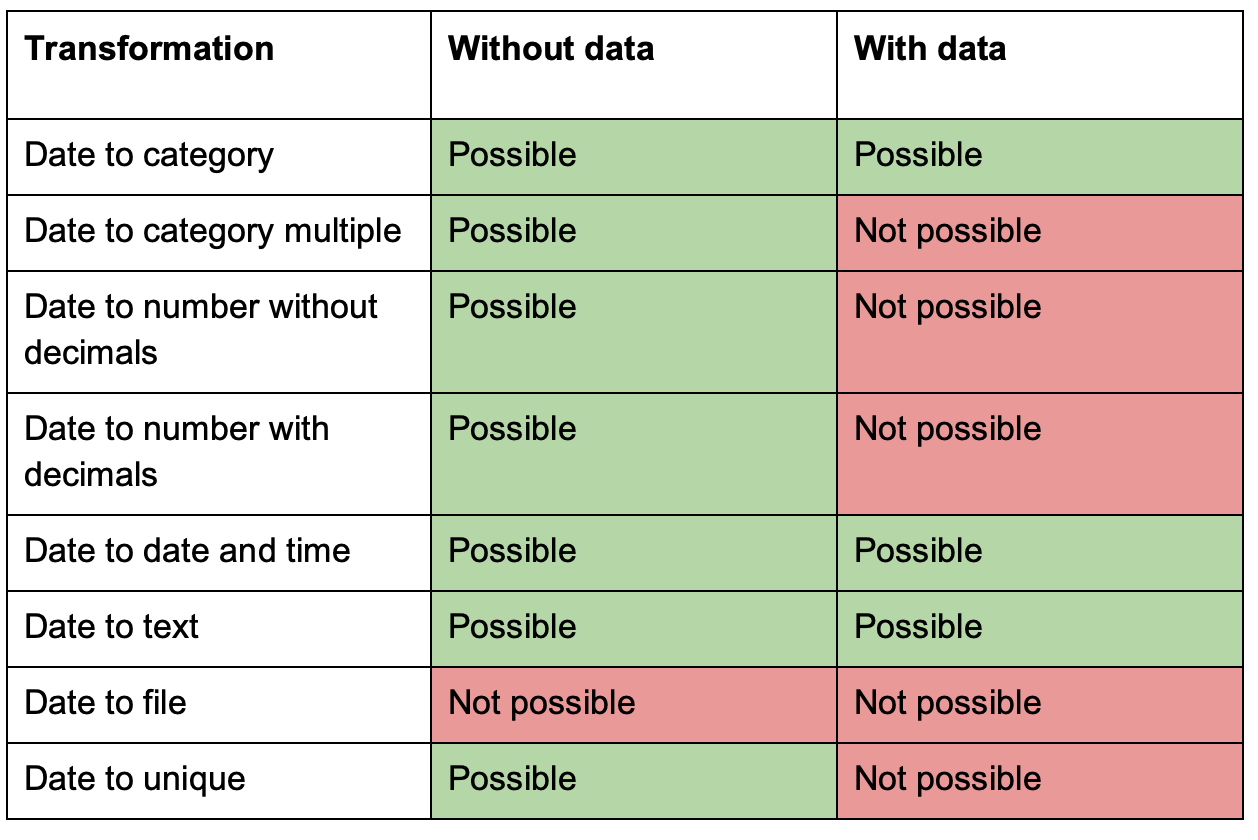
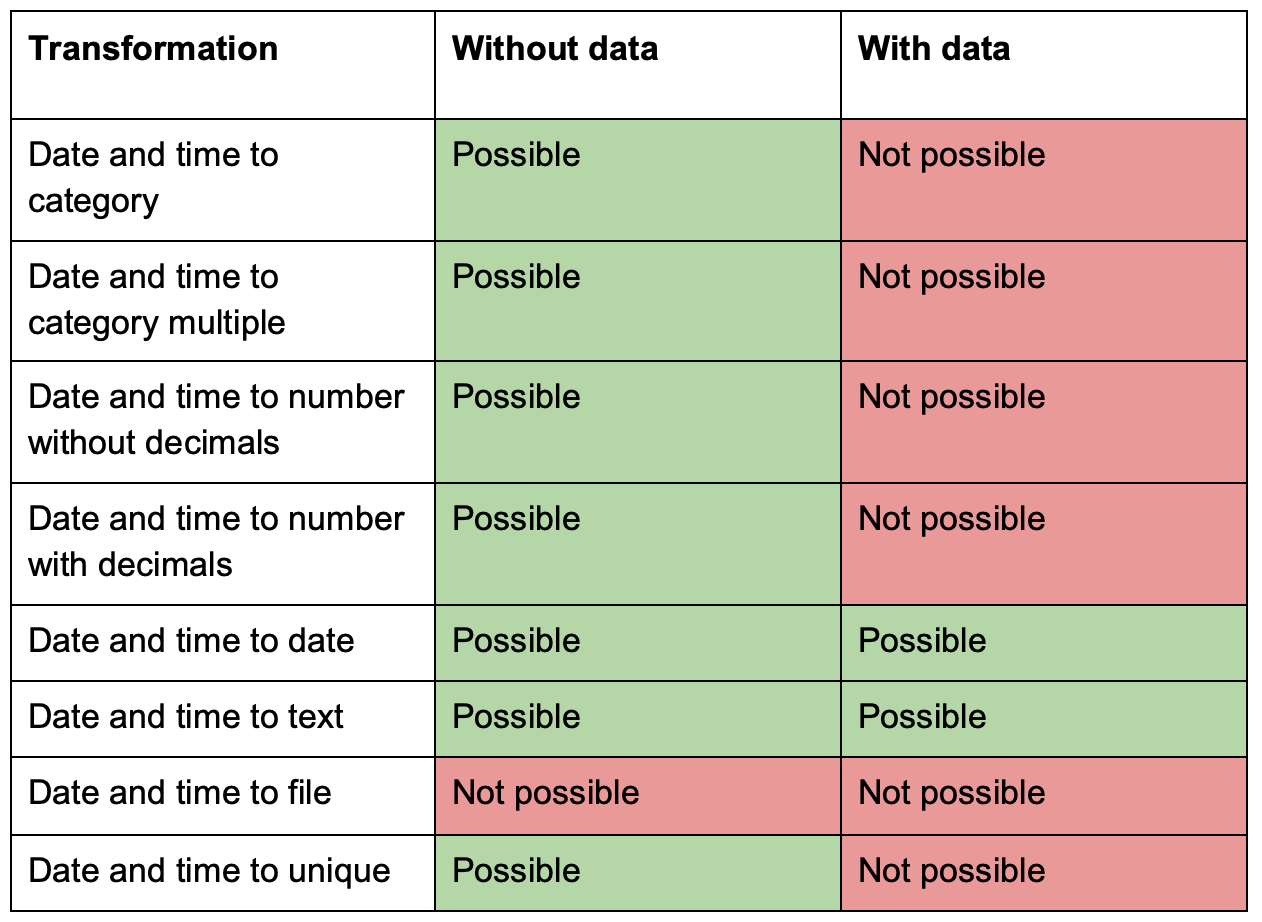
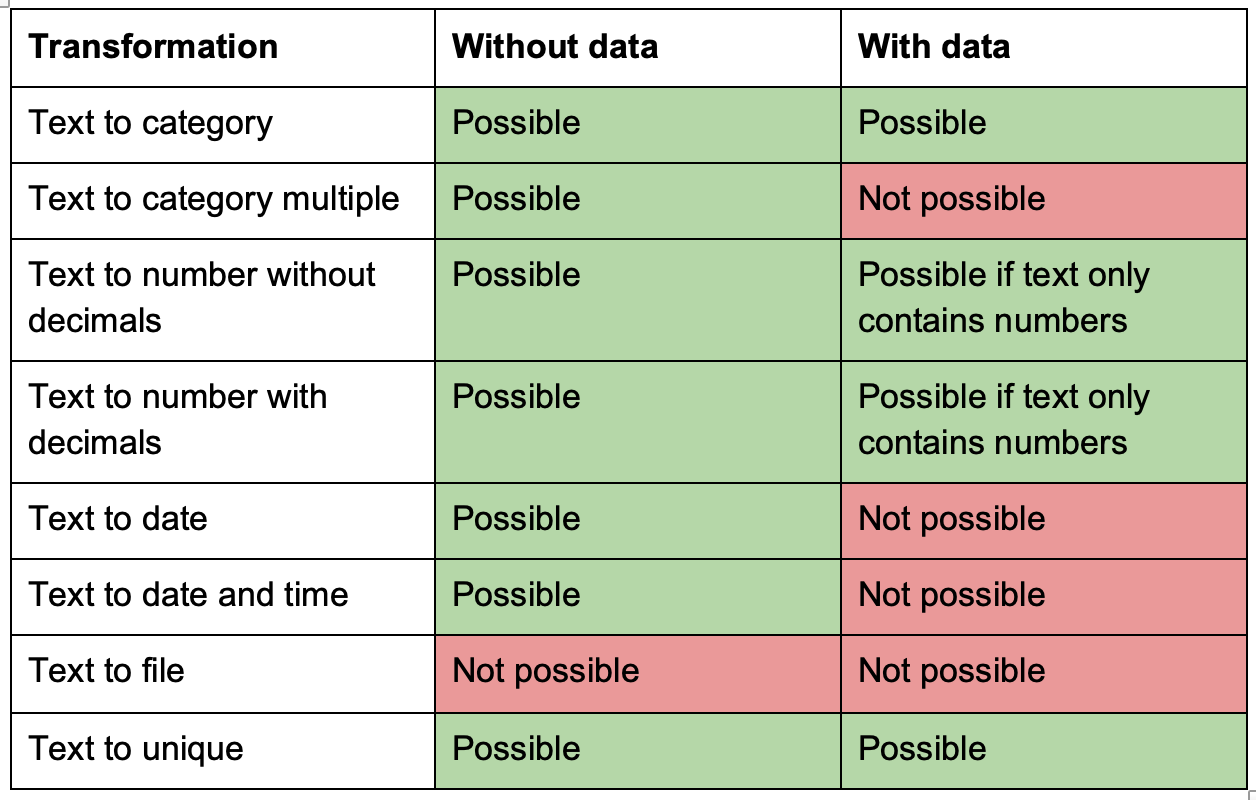
You can edit almost all information in a variable, but there are some restrictions on editing the data type in cases where alterations will conflict with already defined setups in your project; see possible/impossible data type change in the tables below. Note that the data type of variables that are used as part of calculations can not be altered.
From the "Variable" window, click on the card of the variable you want to edit (or click on the variable's name from list view).
Edit the information or settings you want.
Click "Update" when you are done.
Change from Category
Change from Category Multiple
Change from Numbers without decimals
Change from Numbers with decimals
* If the project contains entries, numbers with decimals in the variable will be converted to the flooring number, i.e., 6.8 converts to 6, 349.669 converts to 349.
Change from Date
Change from date and time
Change from Text
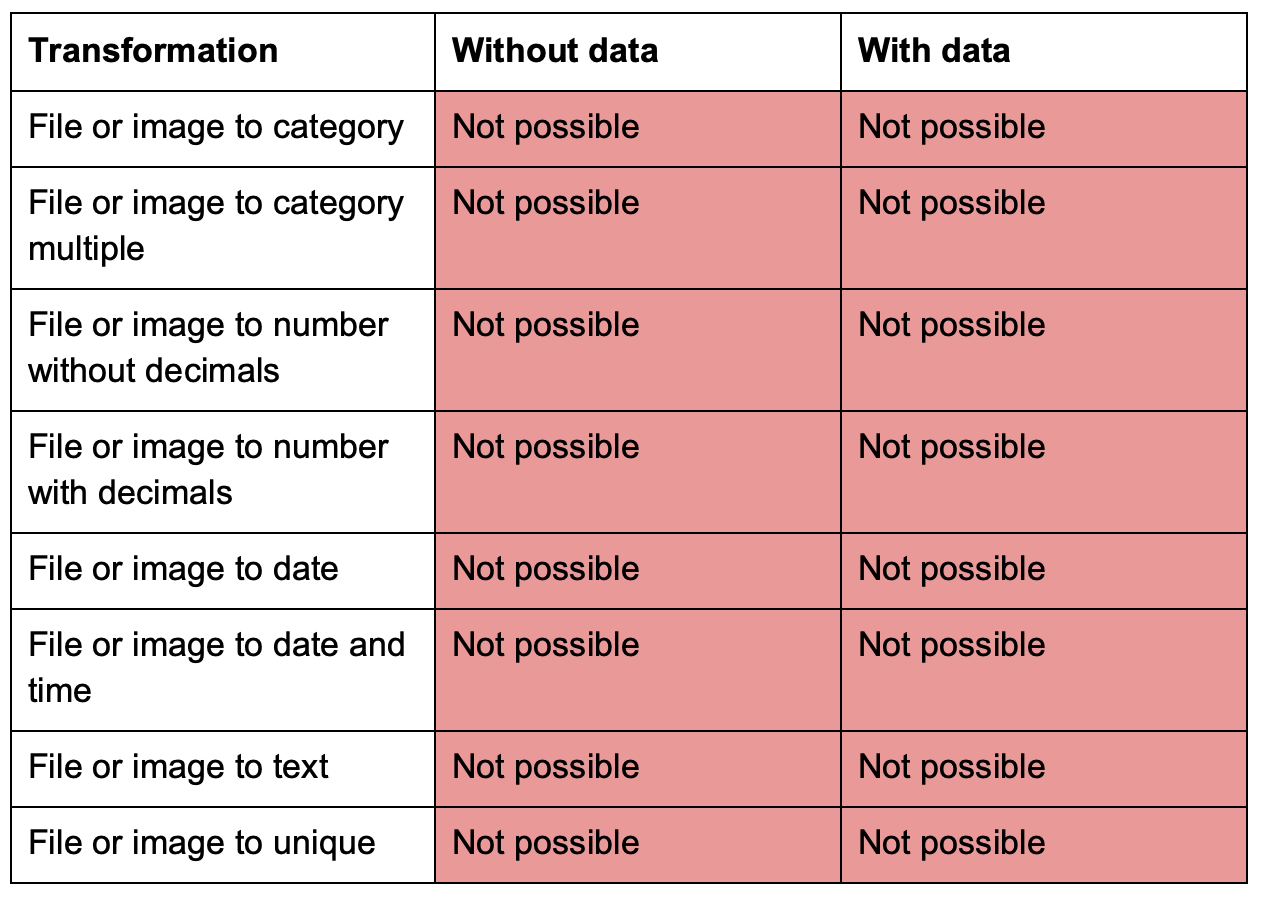
Change from File or image
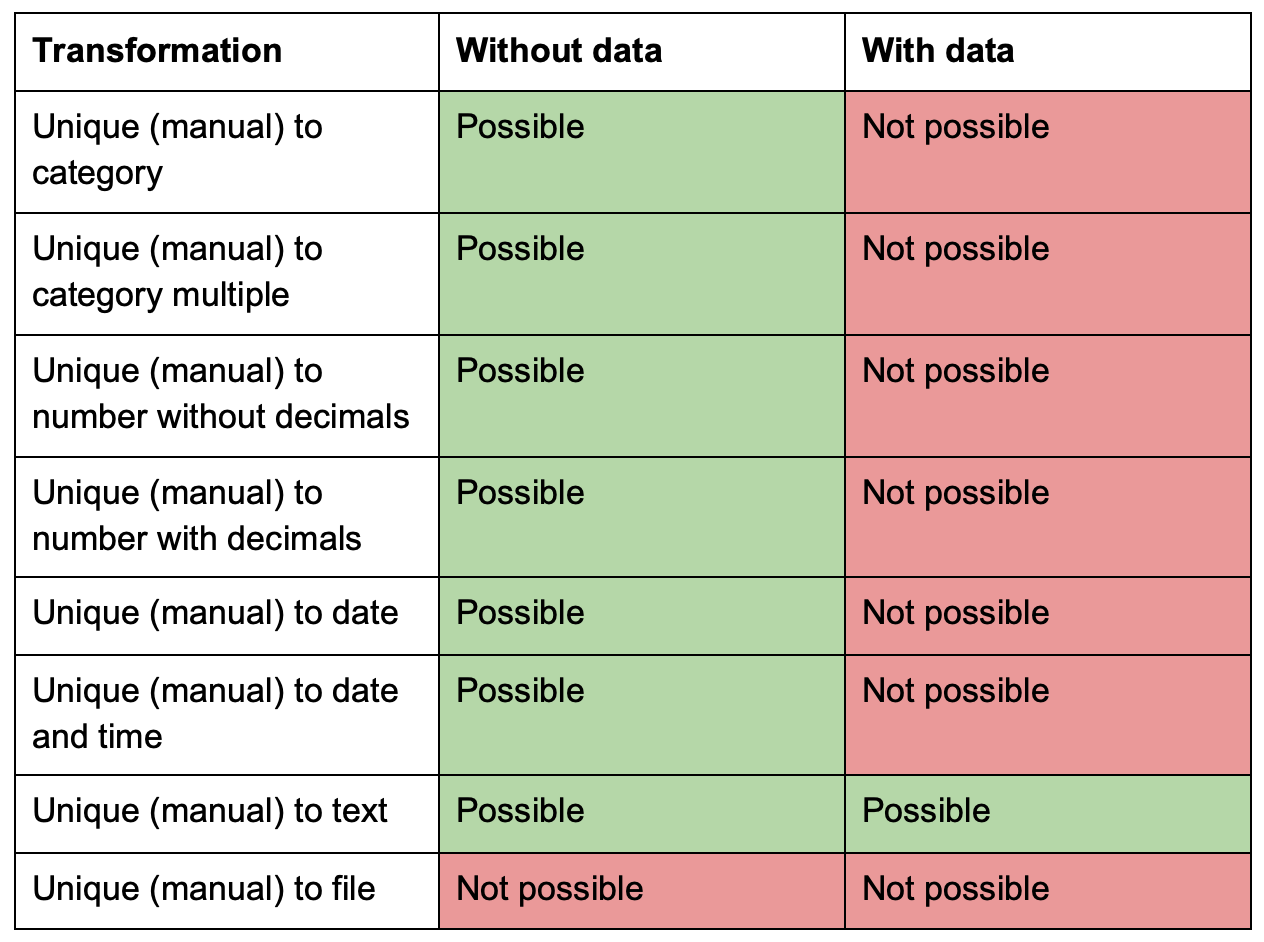
Change from Unique (manual)
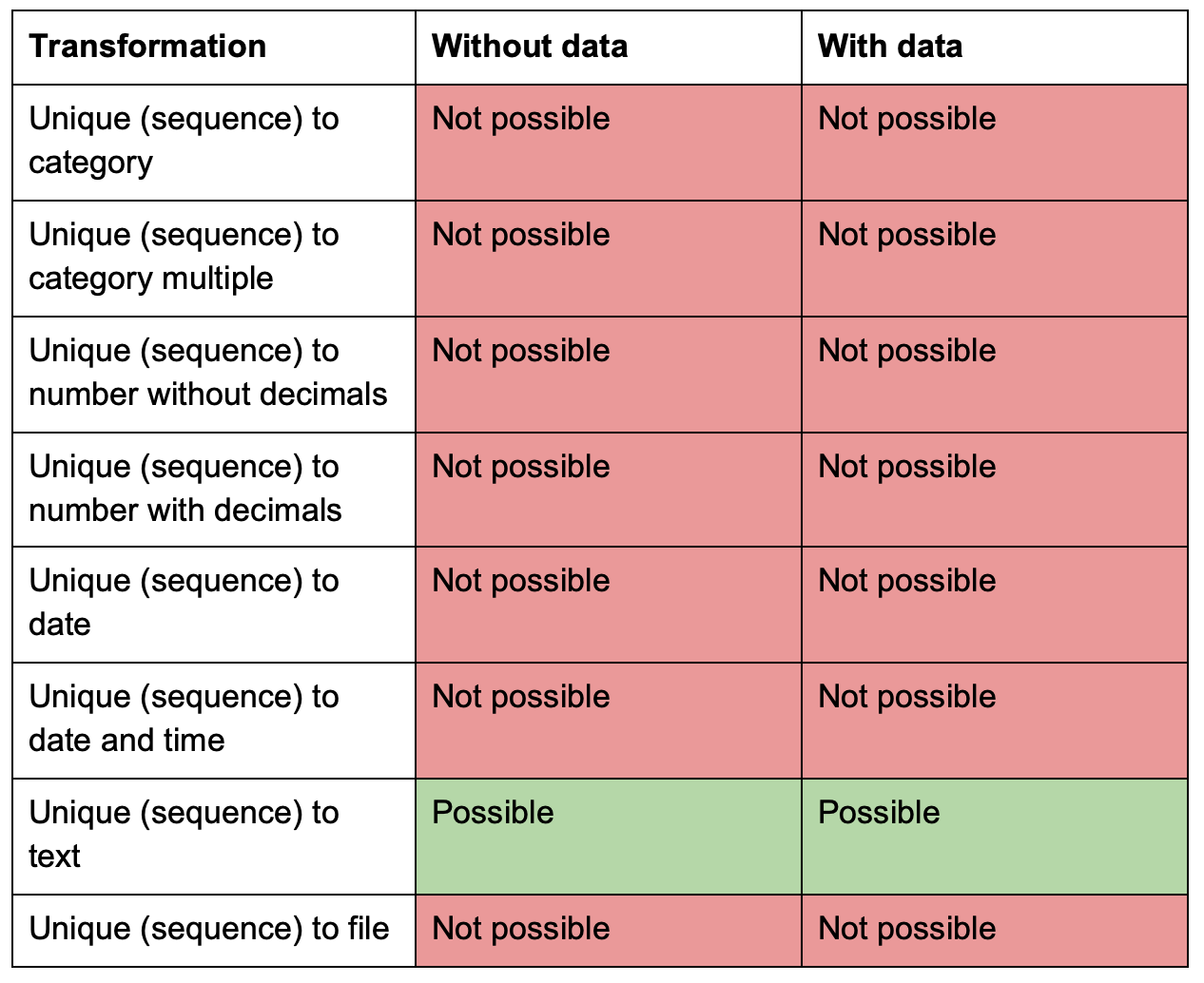
Change from Unique (sequence)
Change from Unique (universal)